How to Run a Practice Stream with Switcher Studio
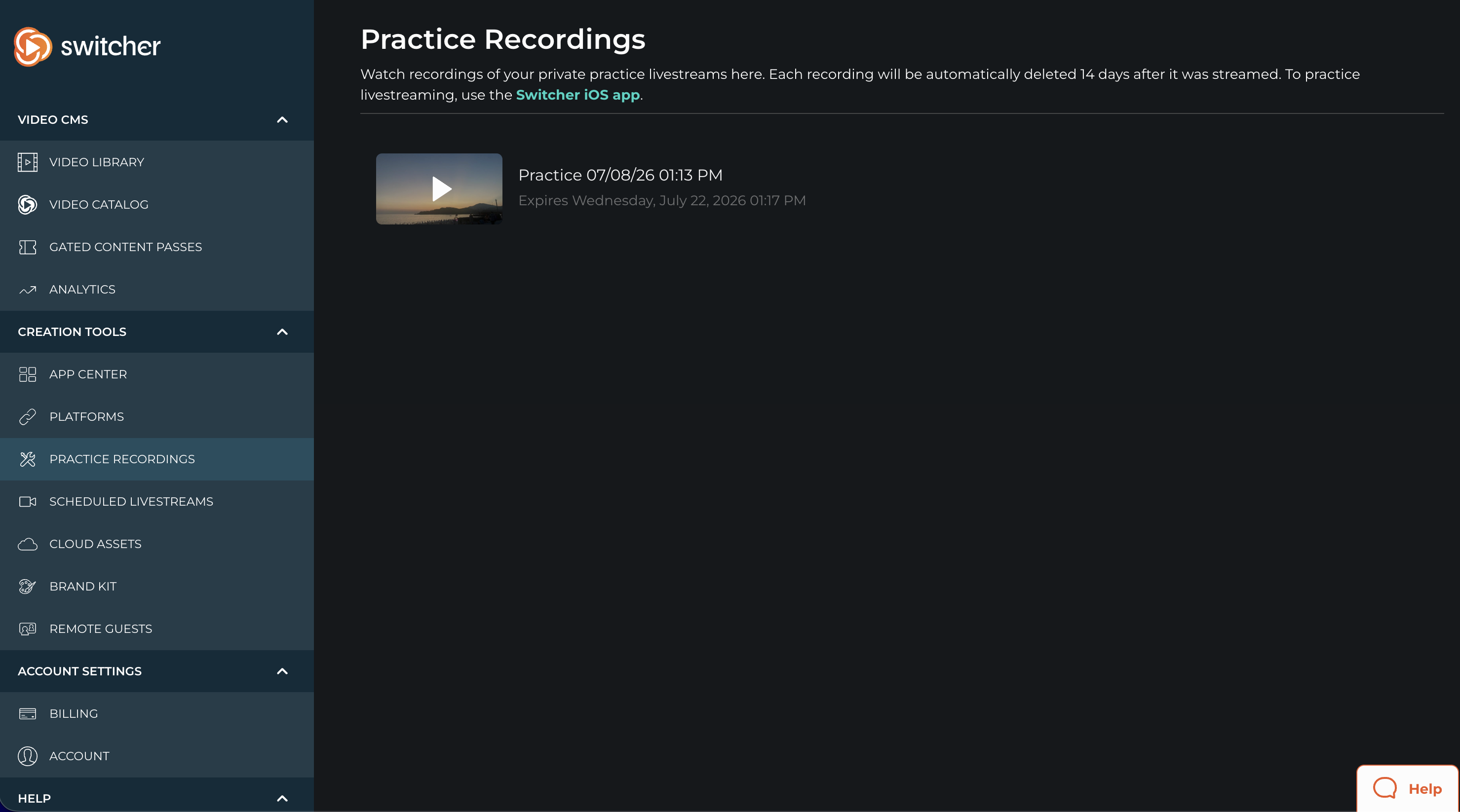
Test out your livestream and familiarize yourself with all the features of Switcher. Practice streams will only be visible to you and recordings can be watched in your online Dashboard for 14 days. These recordings only exist in the Cloud and are not available for download.
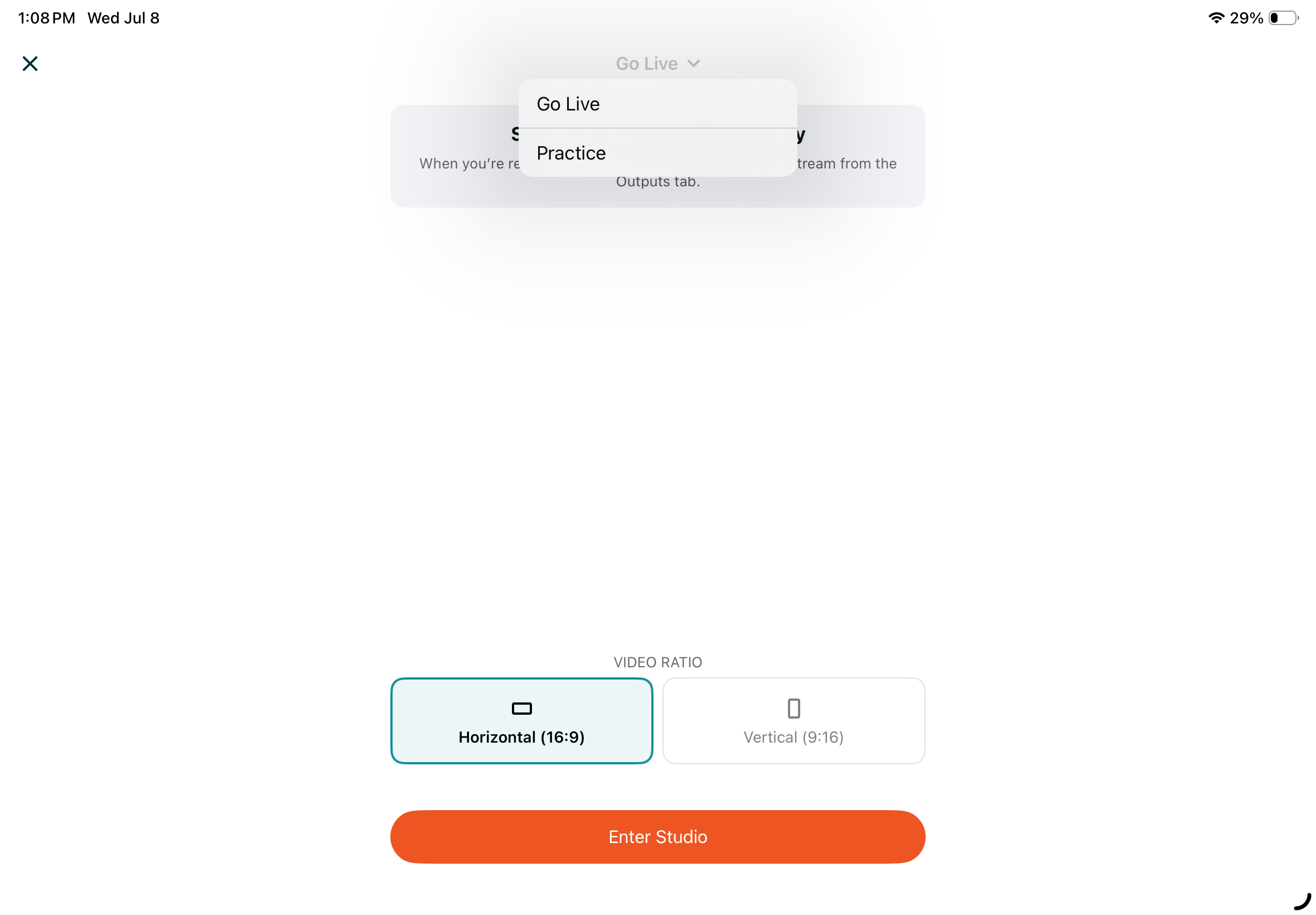
- You can set the Output for a Practice Stream in the Home Screen by tapping Go Live and then tapping the dropdown menu at the top.
- Then tap Enter Studio.
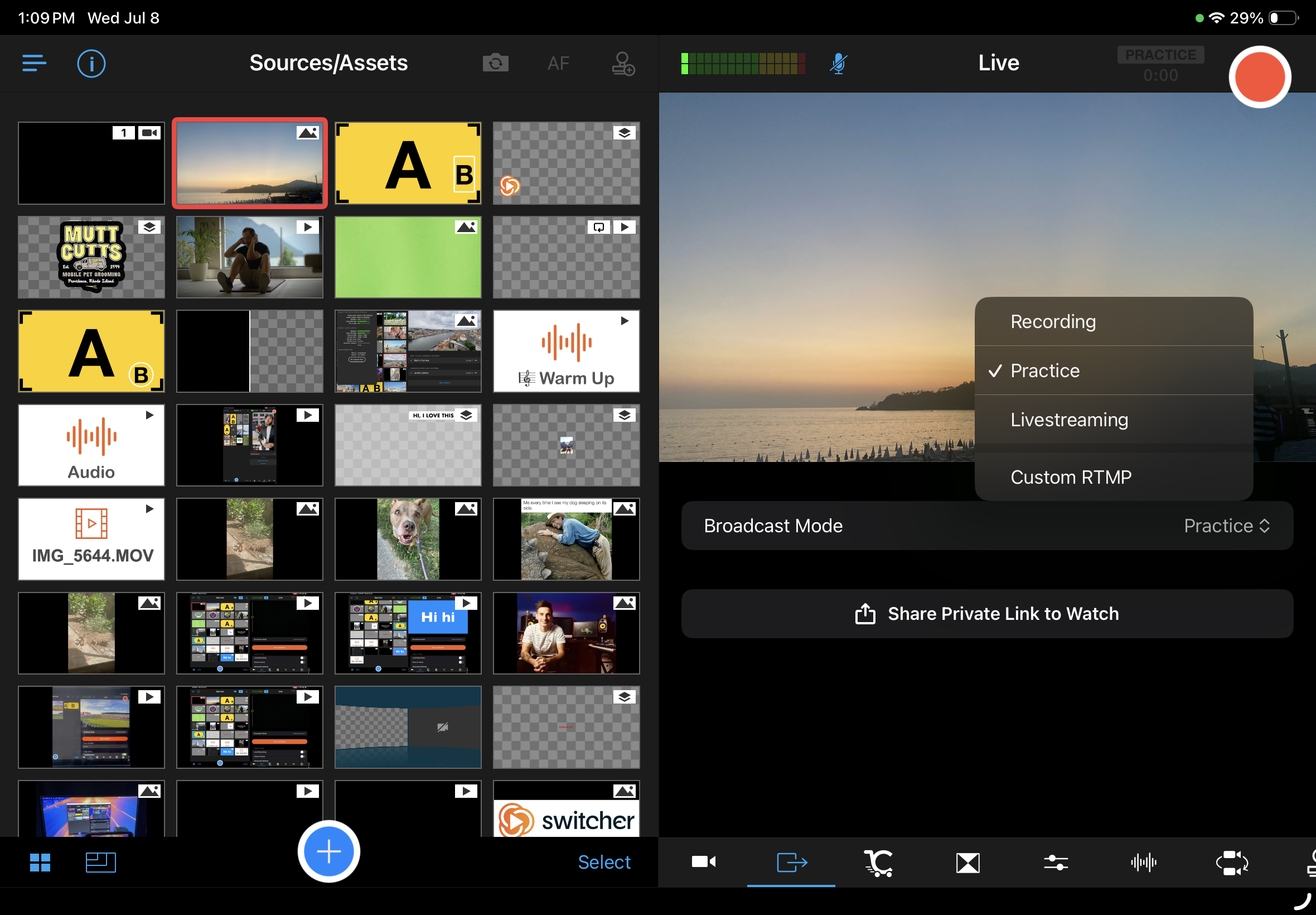
- You can also set the output for a Practice Stream in the Outputs tab by tapping the Broadcast Mode drop down.
- When you're ready to go live just tap the red Record button.
- Once you've ended your stream by tapping the red Record button again, allow it to finish processing.
- Once processed, you will see the recording available for viewing in the Practice Recordings tab of the Dashboard.